Tabulate users can divide a single worksheet into multiple panels, each displaying a different visualization within the same workspace. You may want to do this to compare visualizations, view different data aspects, or organize your workspace more efficiently.
Changing the Layout Option
Dividing the Screen
Right-click the Screen Divider button (blue arrow below) to display the layout options:
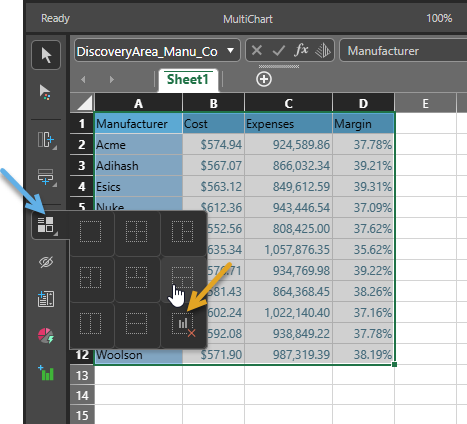
Once you have selected the layout required, you can create separate Visualizations in each of these panels from the Visualize right-click menu.
Removing Visuals
You can also select the Remove Visuals item (orange arrow above) to restore the layout to the original state and remove any visuals.